
 2 months ago
54
2 months ago
54
ExpressVPN has been around for years and remains one of the most well-known names in the VPN industry. It offers a combination of fast speeds, strong encryption, and a wide server network that appeals to both casual users and privacy-focused individuals.
With its proprietary Lightway protocol and servers spread across 105 countries, it continues to be a top-tier option in a crowded market.
In this review, we put ExpressVPN through a full round of testing in 2026. We looked at its speed, streaming ability, gaming performance, security features, privacy policy, ease of use, and pricing. The goal was simple: figure out whether ExpressVPN delivers on its promises and whether the cost is justified for everyday users.
Quick Facts
| Overall Rating | 9.5/10 |
| Starting Price | $2.44/month (2-year plan) |
| Simultaneous Devices | Up to 14 (Pro plan) |
| Server Locations | 105+ countries |
| Number of Servers | 3,000+ |
| Encryption | AES-256-bit |
| VPN Protocols | Lightway, OpenVPN, IKEv2, L2TP/IPsec |
| Logging Policy | Strict no-logs (independently audited) |
| Kill Switch | Yes (Network Lock) |
| Torrenting | Allowed on all servers |
| Streaming | Unblocks Netflix, Disney+, BBC iPlayer, Hulu, and more |
| Money-Back Guarantee | 30 days |
| Customer Support | 24/7 live chat |
| Headquarters | British Virgin Islands |
Quick Verdict
ExpressVPN is a fast, secure, and easy-to-use VPN that excels at streaming, torrenting, and protecting your privacy, making it one of the best all-around VPN services available in 2026.
ExpressVPN Overview
ExpressVPN is a premium VPN service that has built its reputation on speed, security, and reliability. The company is based in the British Virgin Islands, a jurisdiction with no mandatory data retention laws and no ties to international surveillance alliances like the Five Eyes, Nine Eyes, or Fourteen Eyes agreements. This location gives ExpressVPN a strong foundation for protecting user privacy.
The service operates more than 3,000 servers across 105 countries, giving it one of the broadest geographic footprints of any VPN provider. Whether you need a server in the United States, the United Kingdom, Japan, or a less common location like Mongolia or Malta, ExpressVPN has you covered. The majority of these servers are physical machines located in the country listed, with virtual servers making up less than 3% of the total network.
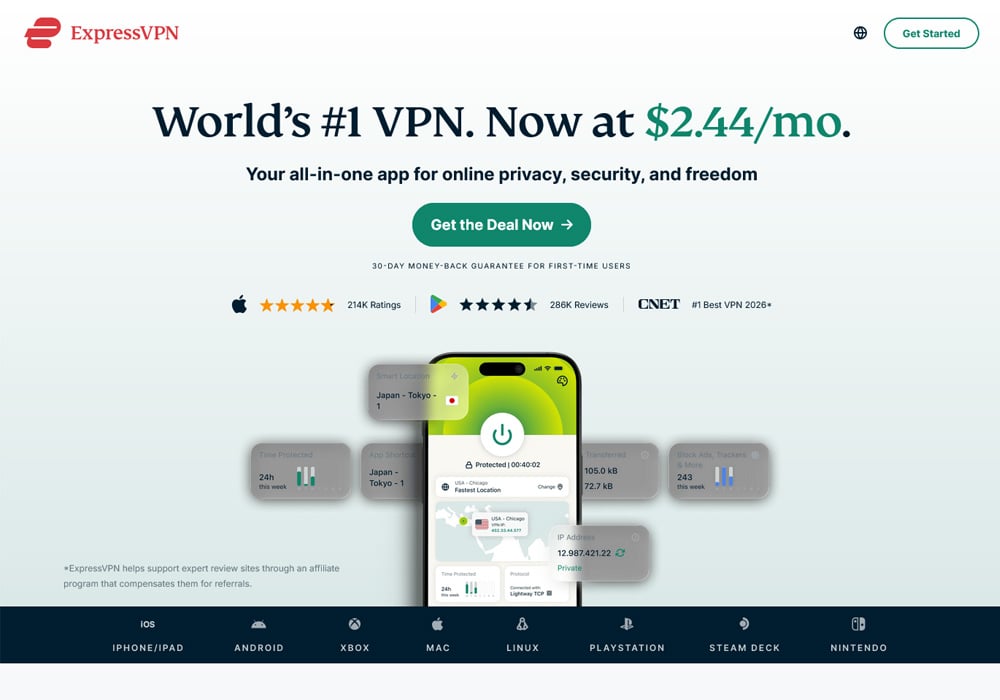 ExpressVPN Homepage
ExpressVPN uses AES-256 encryption as its default, paired with its proprietary Lightway protocol. Lightway was built from the ground up by ExpressVPN’s engineering team and has been independently audited by security firms like Cure53. It is designed to connect faster, use less battery on mobile devices, and transition between networks without dropping your connection.
The service now supports up to 14 simultaneous device connections on its Pro plan, which is a welcome improvement over previous limits. It works with Windows, Mac, Linux, iOS, Android, routers, smart TVs, gaming consoles, and browser extensions for Chrome, Firefox, and Edge. There is also a dedicated router called Aircove that lets you protect every device on your home network under a single connection.
ExpressVPN’s pricing starts at $2.44 per month on the two-year plan, which is competitive with other top-tier VPNs. All plans come with a 30-day money-back guarantee, and mobile users on iOS and Android can access a 7-day free trial through their respective app stores.
ExpressVPN Key Features
ExpressVPN comes packed with features that set it apart from many competitors. At the core is its Lightway protocol, which is built on the wolfSSL cryptographic library and has been reimplemented in Rust for better performance and security. Lightway connects in under a second in most cases and uses far less code than traditional protocols, making it easier to audit and less prone to vulnerabilities.
The TrustedServer technology is another standout feature. All of ExpressVPN’s servers run on RAM only, meaning no data is ever written to a physical hard drive. Every time a server reboots, all information is wiped completely. This approach eliminates the risk of data being recovered from seized or decommissioned hardware.
Network Lock is ExpressVPN’s built-in kill switch. If your VPN connection drops for any reason, Network Lock immediately blocks all internet traffic until the connection is restored. This prevents any unencrypted data from leaking out, even for a moment. It works at the system level on Windows, Mac, Linux, and routers.
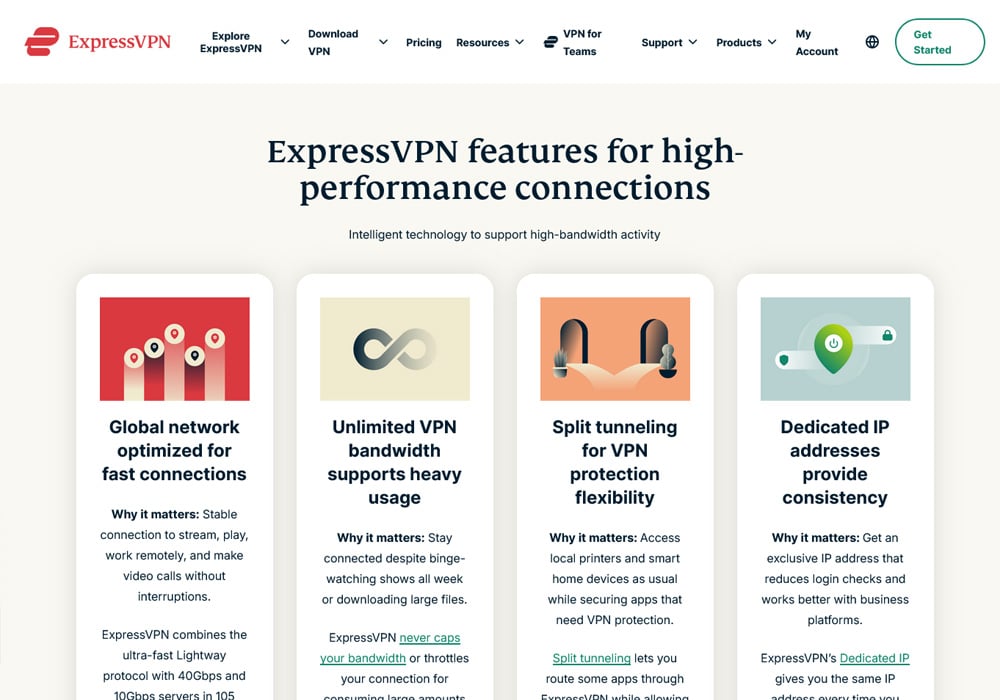 ExpressVPN Key Features
Split tunneling is available on Windows, Android, and Linux, as well as on Mac devices running macOS 10 or earlier. This feature lets you choose which apps use the VPN tunnel and which connect directly to the internet. It is useful for tasks like online banking, where some apps may not work well through a VPN.
ExpressVPN also includes a built-in ad blocker and Threat Manager, which blocks communication with known trackers and malicious domains. In testing, these tools blocked a solid percentage of ads and trackers without needing a separate browser extension. Parental controls are included as well, allowing you to block adult content on family devices.
The IP Shuffle feature changes your assigned IP address dynamically without disconnecting the VPN. This makes it harder for websites and trackers to follow your activity across sessions. Post-quantum protection has also been added to the Lightway protocol, preparing users for potential threats from future quantum computing capabilities.
For users on the Advanced and Pro plans, ExpressVPN includes a password manager called ExpressVPN Keys, identity theft alerts, data removal tools, and credit monitoring. The Pro plan also includes a dedicated IP address, which is useful for accessing services that require a consistent IP.
ExpressVPN Streaming
Streaming is one of the areas where ExpressVPN truly shines. During our 2026 testing, it worked with every major streaming platform we tried. All 3,000+ servers are optimized for streaming, so there is no need to hunt for a specialty server or change any settings. You just connect and start watching.
We tested ExpressVPN with Netflix across multiple regions. It successfully unblocked Netflix US, Netflix Germany, Netflix Japan, and over 20 other Netflix libraries. Episodes loaded quickly, and we experienced no buffering or drops in video quality during extended viewing sessions. HD and UHD content played back smoothly on every server we tested.
Disney+ worked without any trouble across several libraries, including the US, UK, Australia, Canada, and Italy. We watched full episodes with instant load times and consistent picture quality throughout. Amazon Prime Video performed just as well, with both the UK and US libraries streaming in HD without issues.
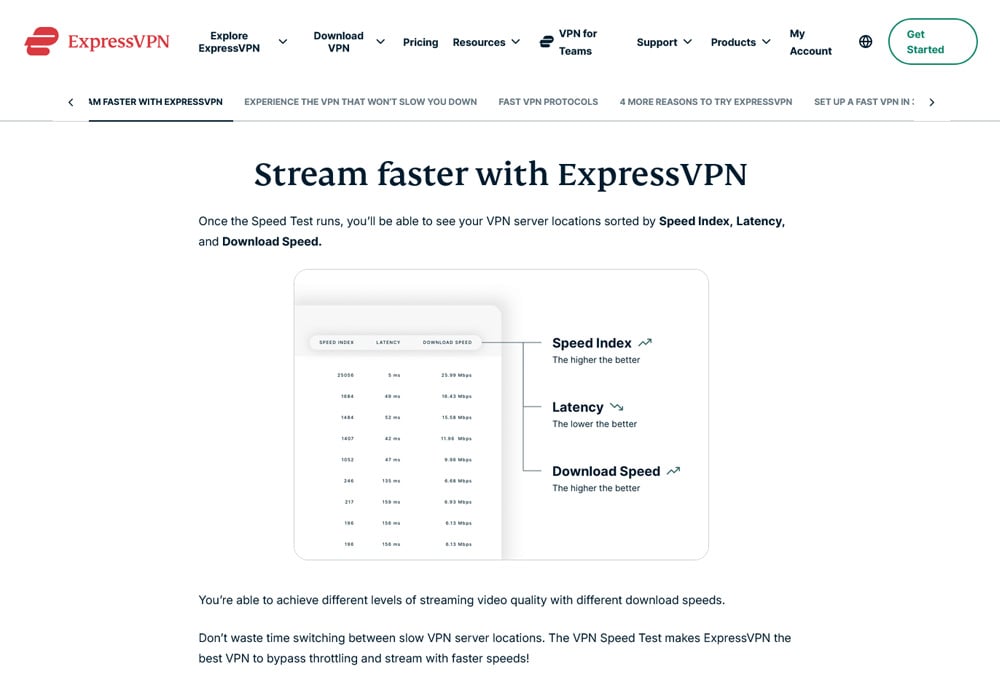 ExpressVPN Streaming
BBC iPlayer was accessible through all of ExpressVPN’s UK server locations. We tested servers in six different UK cities, and every one of them connected to iPlayer on the first attempt. There was no lag or buffering during playback. Hulu also worked perfectly with US servers, which is worth mentioning since Hulu is known for having strong VPN detection.
Beyond these major platforms, ExpressVPN also worked with Max, Peacock, Crunchyroll, ESPN+, Paramount+, DAZN, and Kodi. We were able to stream content from each service without switching servers or adjusting any configuration. The consistency across platforms is one of the things that makes ExpressVPN stand out for streaming.
ExpressVPN’s speeds play a big role in this streaming performance. With download speeds regularly exceeding 200 Mbps on nearby servers and staying above 130 Mbps even on distant connections, there is more than enough bandwidth for 4K streaming. The Lightway protocol helps keep those speeds high while minimizing the overhead that can cause buffering with slower VPNs.
ExpressVPN Gaming
Online gaming requires low latency above all else, and ExpressVPN delivers well in this department. During our testing, we found that connecting to a nearby server actually lowered our ping in some cases. For example, a UK server gave us 29ms of latency compared to 32ms without a VPN connected. That kind of result is uncommon and speaks to the quality of ExpressVPN’s server infrastructure.
For competitive gaming, you want your ping below 85ms. ExpressVPN kept our latency well under that threshold on all nearby and mid-range servers. We tested it with fast-paced online shooters like Counter-Strike 2, where even small amounts of lag are immediately noticeable. Matches loaded quickly, and gameplay felt responsive with no detectable delay.
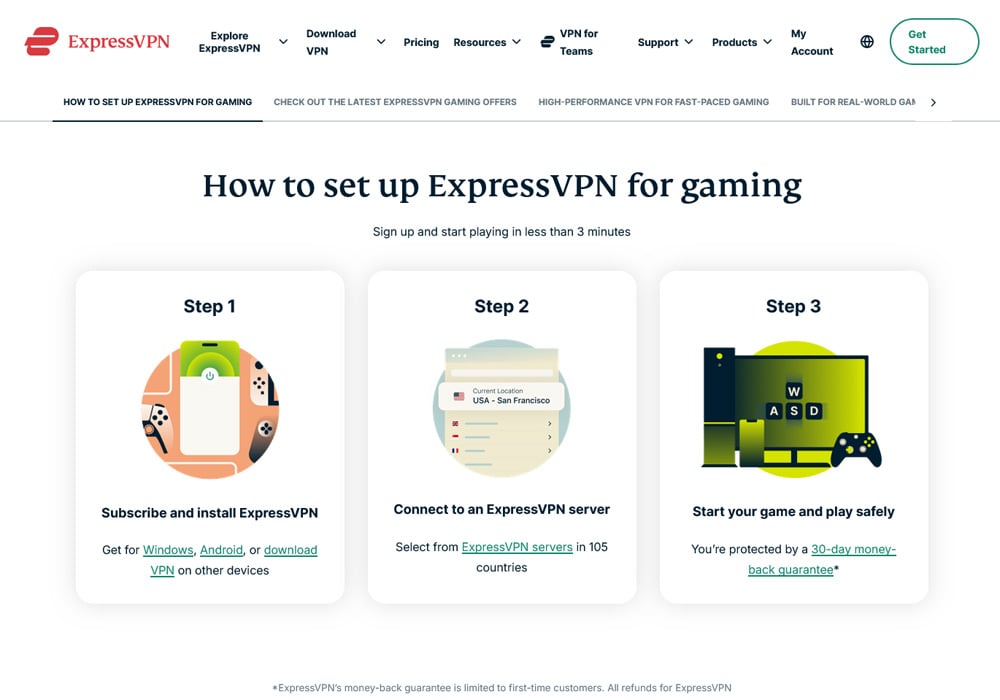 ExpressVPN Gaming
The 10 Gbps server infrastructure helps here as well. High-bandwidth servers mean less congestion, which translates to more consistent ping times even during peak hours. We were able to game and stream video on other devices at the same time without any performance problems.
For console gamers, ExpressVPN offers two good options. You can set it up on a compatible router or use the Aircove router to protect your PlayStation, Xbox, or Nintendo Switch. The MediaStreamer DNS feature also works with gaming consoles, though it is designed for streaming rather than full VPN protection.
Distant servers will increase your ping, which is true for every VPN on the market. If you are connecting to a server on the other side of the world, expect higher latency. But for connecting to servers within your region or continent, ExpressVPN is one of the best options available for gaming.
ExpressVPN Security
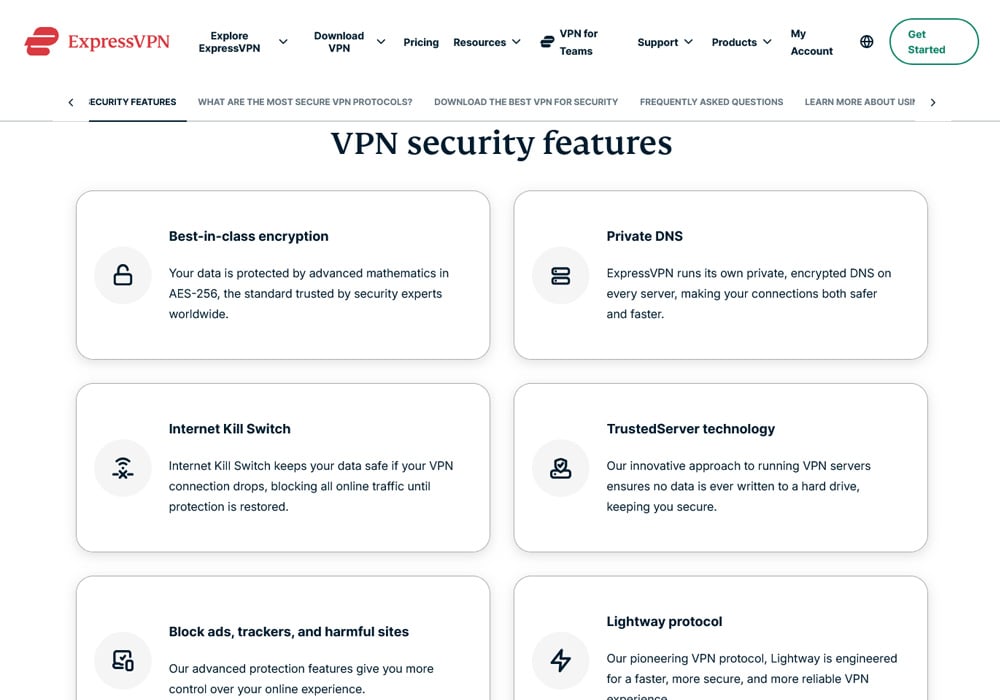
Security is where ExpressVPN has invested heavily, and it shows. The service uses AES-256-GCM encryption as its primary cipher, which is the same standard used by governments and financial institutions around the world. It also supports ChaCha20/Poly1305 as an alternative cipher, which can perform better on older or lower-powered devices.
Perfect forward secrecy is enabled by default, meaning a new encryption key is generated for each session. Even if a single key were somehow compromised, it would not give an attacker access to any past or future sessions. This is an important layer of protection that not all VPN providers implement.
We ran a full suite of leak tests during our review. ExpressVPN passed every one of them. There were no DNS leaks detected through IPLeak.net, no WebRTC leaks found through BrowserLeaks.net, and the kill switch worked correctly in every scenario we tested. When we deliberately interrupted the VPN connection, Network Lock immediately blocked all traffic and prevented any data from being sent outside the encrypted tunnel.
 ExpressVPN Security
ExpressVPN runs its own private DNS servers, which means your DNS queries never pass through a third-party server. This eliminates one of the most common ways that VPNs can leak user data. The service also blocks IPv6 connections entirely, which prevents any potential IPv6 leaks.
All of ExpressVPN’s servers use obfuscation automatically. There are no special settings to enable or specialty servers to find. The system detects when VPN traffic is being blocked and applies an extra layer of encryption to get around those restrictions. This is useful for accessing content on restricted networks at workplaces, schools, or in countries with heavy internet censorship.
We also scanned ExpressVPN’s installation files through VirusTotal and confirmed they were clean. The software distribution is secure and free from malware or unwanted bundled programs.
ExpressVPN offers a $100,000 bug bounty through Bugcrowd, which is one of the highest amounts offered by any VPN provider. This signals strong confidence in the security of their infrastructure and encourages outside researchers to look for vulnerabilities.
ExpressVPN Privacy
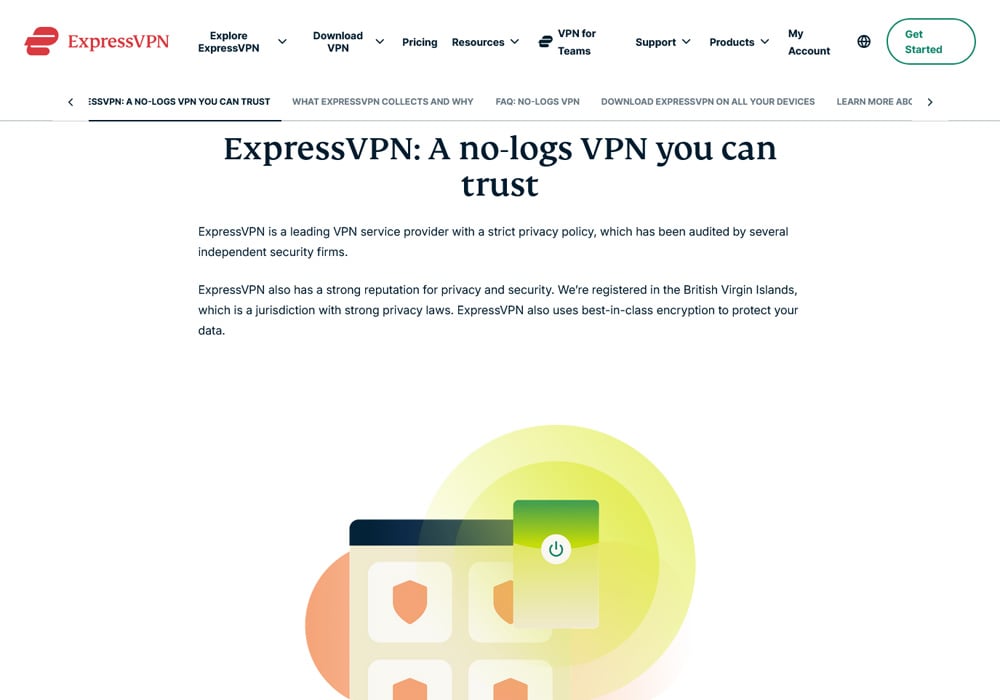
ExpressVPN maintains a strict no-logs policy that has been verified through multiple independent audits. The company does not collect or store your IP address, browsing history, traffic destinations, DNS queries, or connection timestamps. This policy has been audited by PricewaterhouseCoopers, KPMG, Cure53, and F-Secure, among others. As of 2026, ExpressVPN has undergone 19 independent audits, which is more than any other VPN provider we are aware of.
The company’s no-logs claim was put to a real-world test in 2017 when Turkish authorities seized an ExpressVPN server as part of a criminal investigation. They were unable to find any usable data on the server, which confirmed that the no-logs policy works as advertised. This incident remains one of the strongest pieces of evidence that ExpressVPN does not store user activity.
 ExpressVPN No-Logs Policy
Being based in the British Virgin Islands gives ExpressVPN a strong legal advantage. The BVI has no data retention laws, no mass surveillance programs, and is not part of any international intelligence-sharing agreement. It is extremely difficult for foreign governments to compel a BVI-based company to hand over user data. Even if a request were made, there would be nothing to hand over given the no-logs policy and RAM-only server infrastructure.
The data that ExpressVPN does collect is minimal and cannot be used to identify individual users or their online activities. This includes which app versions you have activated, the date (but not time) you connected, which server location you chose, and the total amount of data transferred. This information is used to maintain the service and troubleshoot technical issues.
ExpressVPN publishes biannual transparency reports that detail any legal requests the company has received. These reports are available through the Trust Center section of their website, along with detailed information about their security audits, bug bounty program, and privacy initiatives.
For users who want maximum anonymity, ExpressVPN has historically supported cryptocurrency payments through Bitcoin. This allows you to sign up without providing payment details that could be linked to your identity. Combined with a disposable email address, it is possible to use ExpressVPN with very little personal information on file.
ExpressVPN Installation & Setup
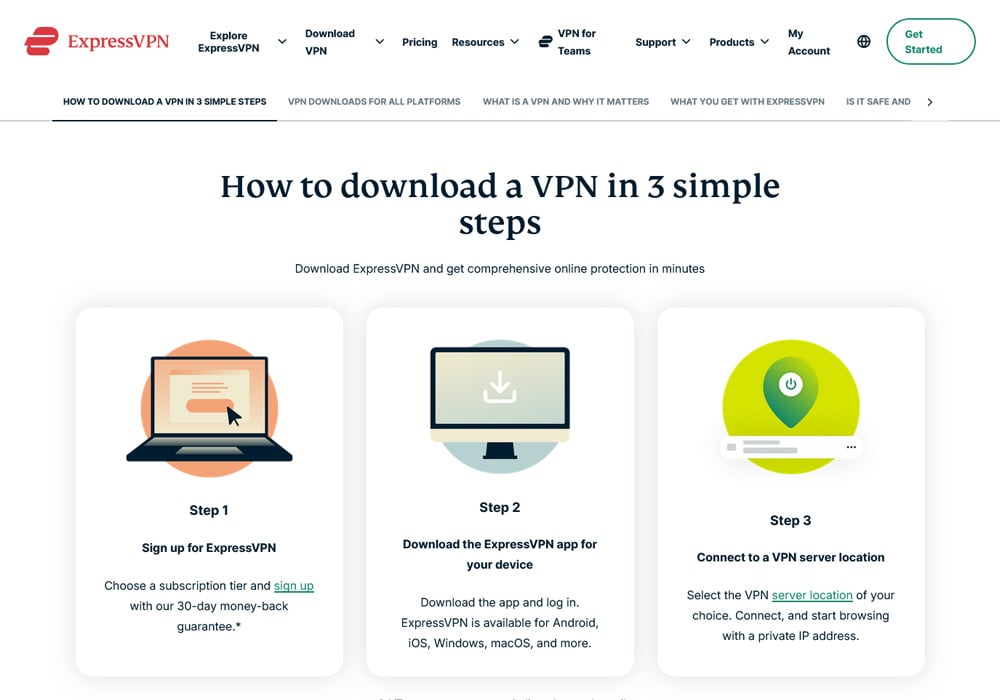
One of ExpressVPN’s biggest strengths is how easy it is to get up and running. The entire process from purchasing a subscription to connecting to your first server takes less than three minutes on most devices. The interface is clean and straightforward, with a large connect button in the center and a simple server list organized by region.
The Smart Location feature automatically selects the best server based on your current location and network conditions. For most users, this is all you need to do. Just open the app and tap connect. If you want to choose a specific server or country, the server list is organized into geographic categories that make it easy to find what you are looking for.
 ExpressVPN Download
Native apps are available for Windows, macOS, Linux, iOS, and Android. The desktop and mobile apps share a consistent design, so switching between devices feels familiar. The Linux app now includes a full graphical interface, which is a welcome change from the command-line-only setup that many VPNs offer for Linux users.
Browser extensions are available for Chrome, Firefox, and Edge. These extensions function as a remote control for the main app rather than operating as standalone proxies. This means you get the full protection of the VPN app when you connect through the browser extension. The extension also works with Brave and Vivaldi through the Chrome Web Store.
For smart TVs and streaming devices, ExpressVPN offers native apps for Apple TV, Amazon Fire TV, Fire Stick, Android TV, and Chromecast with Google TV. It is also pre-installed on TCL smart TVs sold after February 2024. Setting up on a Fire Stick took us only a few minutes longer than the desktop app since we had to use a remote to enter our login details.
Router setup is straightforward as well. ExpressVPN has a browser-based app for compatible routers from Asus, Linksys, and Netgear. The Aircove router comes with ExpressVPN pre-installed, and it lets you assign up to five different server locations to different device groups. This means your smart TV can connect to one country while your computer connects to another, all managed from a single dashboard.
The MediaStreamer DNS feature allows you to connect devices that do not natively support VPN apps, such as older smart TVs, PlayStation, Xbox, and Nintendo Switch. Setting it up involves entering a DNS address into your device’s network settings, and it took us less than five minutes on an LG smart TV.
ExpressVPN’s support documentation is extensive. There are step-by-step guides for every supported device and platform, along with video tutorials and a searchable knowledge base. If you run into any problems, the 24/7 live chat support typically connects you with a human agent within a minute or two.
ExpressVPN Pricing
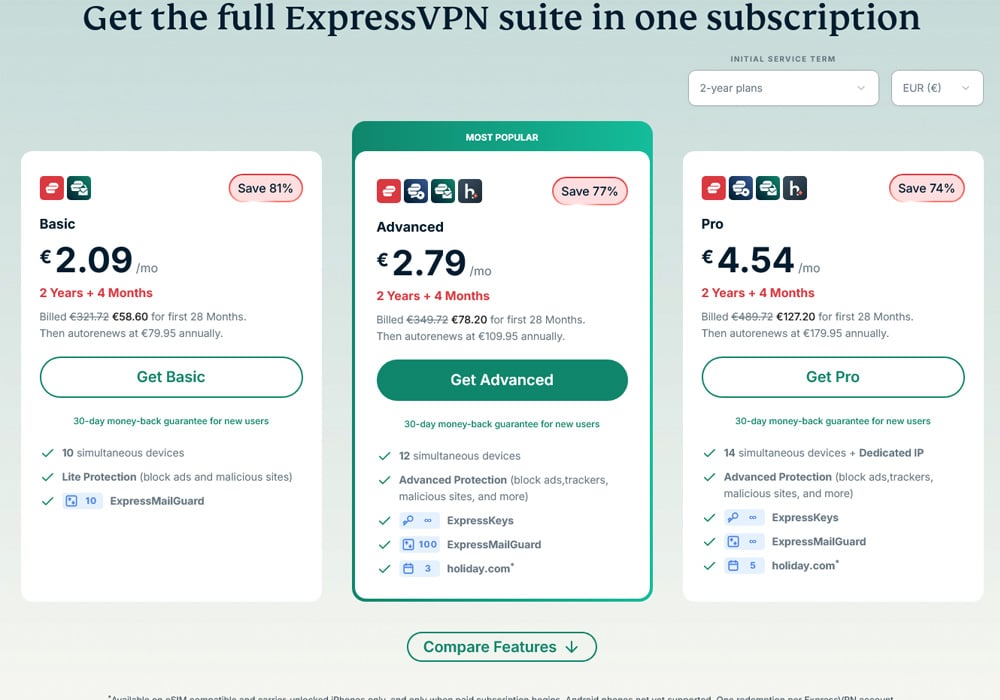
ExpressVPN offers three subscription tiers: Basic, Advanced, and Pro. Each tier is available as a monthly, annual, or two-year plan. The two-year plans offer the best value, and all plans come with a 30-day money-back guarantee.
The Basic plan starts at $2.44 per month on the two-year plan, which works out to $68.40 for 28 months. This includes the full VPN with 10 simultaneous device connections and a lite ad blocker. The monthly option costs $12.99, and the annual plan is $3.49 per month with three free months included.
The Advanced plan starts at $3.14 per month on the two-year plan, or $88.00 for 28 months. This bumps you up to 12 simultaneous connections and adds an improved ad blocker, the ExpressVPN Keys password manager, and identity alerts that notify you if your credentials appear on the dark web.
The Pro plan is priced at $5.24 per month on the two-year plan, or $146.80 for 28 months. It includes everything in the Advanced plan plus 14 simultaneous connections and a dedicated IP address. A dedicated IP is useful for online banking, accessing work platforms, and other situations where a consistent IP address reduces friction. Dedicated IPs typically cost $5 to $10 as a standalone add-on with other providers, so the bundled pricing here represents reasonable value.
 ExpressVPN Pricing
For comparison, NordVPN starts at $3.39 per month and Surfshark starts at $1.99 per month on their longest plans. ExpressVPN’s Basic tier is priced competitively with NordVPN, though Surfshark remains the budget option. The difference comes down to what you get for your money, and ExpressVPN consistently delivers top-end speeds and reliability.
Payment options include Visa, Mastercard, American Express, PayPal, Apple Pay, and Google Pay. ExpressVPN has also supported Bitcoin payments in the past through BitPay for users who prefer to pay with cryptocurrency.
The 30-day money-back guarantee applies to all plans and is straightforward to use. You contact support through live chat, request a refund, and the money is returned within a few days. There is no need to provide a detailed reason. For renewed subscriptions, there is a 14-day window to request a refund on the renewal charge.
Mobile users on iOS and Android can access a 7-day free trial through the Apple App Store or Google Play Store. This trial provides full access to all features. If you sign up through the App Store, be aware that Apple handles the refund process rather than ExpressVPN directly.
ExpressVPN Final Verdict
ExpressVPN is one of the most complete VPN services on the market in 2026. It delivers fast speeds through its Lightway protocol, strong security through AES-256 encryption and RAM-only servers, and genuine privacy through a verified no-logs policy and a favorable legal jurisdiction in the British Virgin Islands.
For streaming, it works with virtually every major platform including Netflix, Disney+, Amazon Prime Video, BBC iPlayer, Hulu, and many more. For gaming, it keeps latency low on nearby servers and offers router-level protection for consoles. For torrenting, it allows P2P traffic on every server in its network without restrictions.
The apps are well-designed and easy to use across every platform. Whether you are on a Windows desktop, an iPhone, a Linux machine, or a Fire Stick, the experience is consistent and intuitive. The support team is available around the clock and responds quickly with knowledgeable answers.
The pricing is higher than some competitors, but ExpressVPN has restructured its plans to be more competitive. The two-year Basic plan at $2.44 per month is a reasonable price for a service of this caliber. The Advanced and Pro tiers add meaningful extras like a password manager, identity protection, and dedicated IPs for users who want more than just a VPN.
If you are looking for a VPN that does everything well and does not cut corners on speed, security, or privacy, ExpressVPN is hard to beat. The 30-day money-back guarantee means you can try it with no financial risk and decide for yourself.
ExpressVPN FAQs
Is ExpressVPN safe to use?
Yes, ExpressVPN is one of the safest VPNs available. It uses AES-256-bit encryption, which is the same standard used by governments and banks worldwide. The service has a strict no-logs policy that has been independently audited 19 times by firms including KPMG, PricewaterhouseCoopers, and Cure53. Its RAM-only servers ensure that no data is ever stored permanently. The kill switch feature blocks all internet traffic if the VPN connection drops, and all leak tests we conducted came back clean.
Does ExpressVPN work with Netflix and other streaming services?
ExpressVPN works with over 20 Netflix libraries, including the US, UK, Japan, Germany, and many more. It also unblocks Disney+, Amazon Prime Video, BBC iPlayer, Hulu, Max, Peacock, Crunchyroll, ESPN+, Paramount+, and dozens of other platforms. All of its 3,000+ servers are optimized for streaming, so there is no need to search for a specific server or change settings. Speeds are fast enough for HD and 4K streaming without buffering.
How many devices can I use with ExpressVPN at the same time?
The number of simultaneous connections depends on your plan. The Basic plan supports 10 devices, the Advanced plan supports 12, and the Pro plan supports 14. If you need to protect more devices, you can install ExpressVPN on a compatible router or use the Aircove router, which covers every device on your network while only counting as a single connection. This effectively gives you unlimited device protection.
Does ExpressVPN keep any logs of my activity?
No, ExpressVPN does not log your browsing activity, IP address, DNS queries, traffic destinations, or connection timestamps. The only data collected is minimal operational information such as which app version you activated, the date you connected, the server location you chose, and total bandwidth used. None of this data can identify you or reveal what you did online. This policy has been verified by multiple third-party audits and was confirmed in a real-world scenario when Turkish authorities seized a server and found no usable data.
Can I get a refund if I am not satisfied with ExpressVPN?
Yes, all ExpressVPN plans come with a 30-day money-back guarantee. If you are not happy with the service for any reason, you can request a full refund within 30 days of your purchase. The process is simple. Contact the support team through live chat, let them know you would like a refund, and the money is typically returned to your account within a few business days. There are no hoops to jump through and no detailed explanations required. For subscription renewals, there is also a 14-day refund window.
The post ExpressVPN Review: Fast Speeds, Strong Privacy, But Any Downsides? appeared first on Blockonomi.





 English (US) ·